See what needs attention
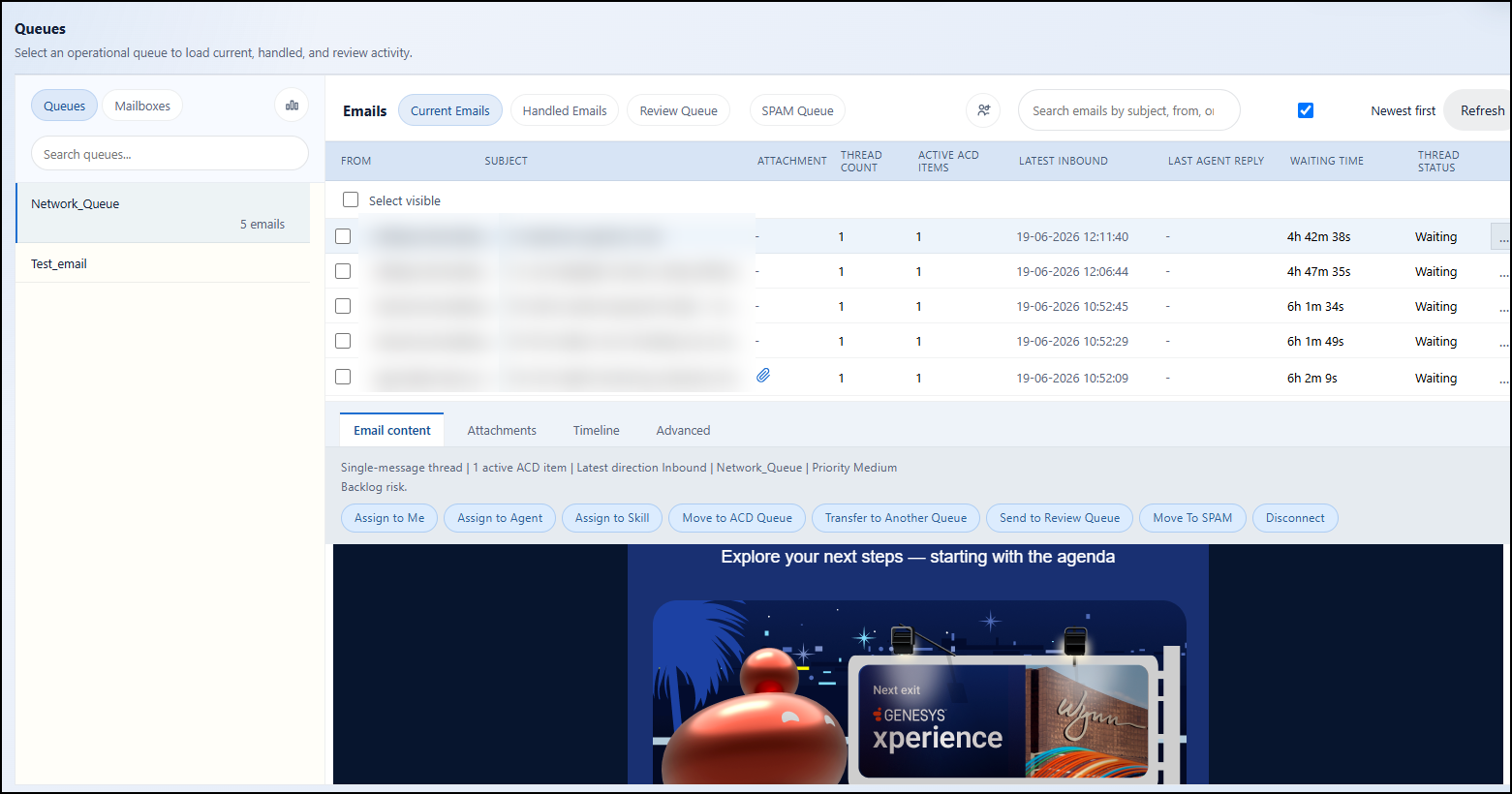
Load operational queues and see current, handled, review, and spam activity in one triage workspace.

Genesys Cloud email operations
GenEmails helps agents, supervisors, and administrators triage Genesys Cloud email conversations: see waiting work, prioritize attention, assign ownership, move messages, review spam, and keep service levels visible.
The 20-second version
Load operational queues and see current, handled, review, and spam activity in one triage workspace.
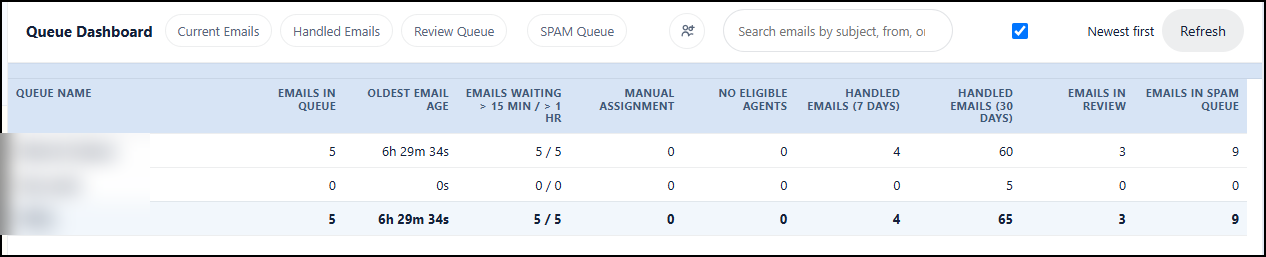
Expose waiting age, manual assignment, no eligible agents, review volume, and spam volume so supervisors can act before delays become service issues.
Assign to yourself, assign to another agent or skill, transfer queues, send to review, move to spam, or disconnect from a controlled workflow.
Give agents, supervisors, and administrators the visibility and actions they need without making every user an email administrator.
Why GenEmails exists
Genesys Cloud ACD can route emails by queue, skill, language, priority, and agent utilization. It can also route suspected spam to a flow or disconnect it. GenEmails complements those native controls by giving operations teams a purpose-built table view for what is waiting, what is blocked, and what requires supervisor action.
Genesys priority is part of routing score calculation, but supervisors still need a fast way to see older waiting emails, blocked queues, and exceptions together.
Genesys can route suspected spam to a flow or disconnect it. GenEmails adds operational spam tables so teams can review, count, and manage spam outcomes.
GenEmails brings emails waiting, oldest age, no eligible agents, review count, spam count, and handling history into one queue dashboard.
Built for live operations
GenEmails is designed for teams that manage customer email in Genesys Cloud and need faster triage, clearer ownership, and cleaner recovery paths when conversations need attention.
Operational dashboards
Flexible licensing
GenEmails can support predictable assigned-user teams and shared shift-based operations. Named licensing fits dedicated agents, supervisors, and administrators who need regular access. Concurrent licensing fits larger approved populations that share a defined pool of active sessions.
Assign GenEmails access to known users. This model is straightforward for dedicated email teams, stable supervisor groups, and administrators who need ongoing access.
Permit a wider approved user base while limiting active usage to the licensed session count. This model fits rotating shifts, pooled operations, and seasonal email demand.
Who uses GenEmails
Find the right conversation, open the email body, review attachments, and take ownership without losing queue context.
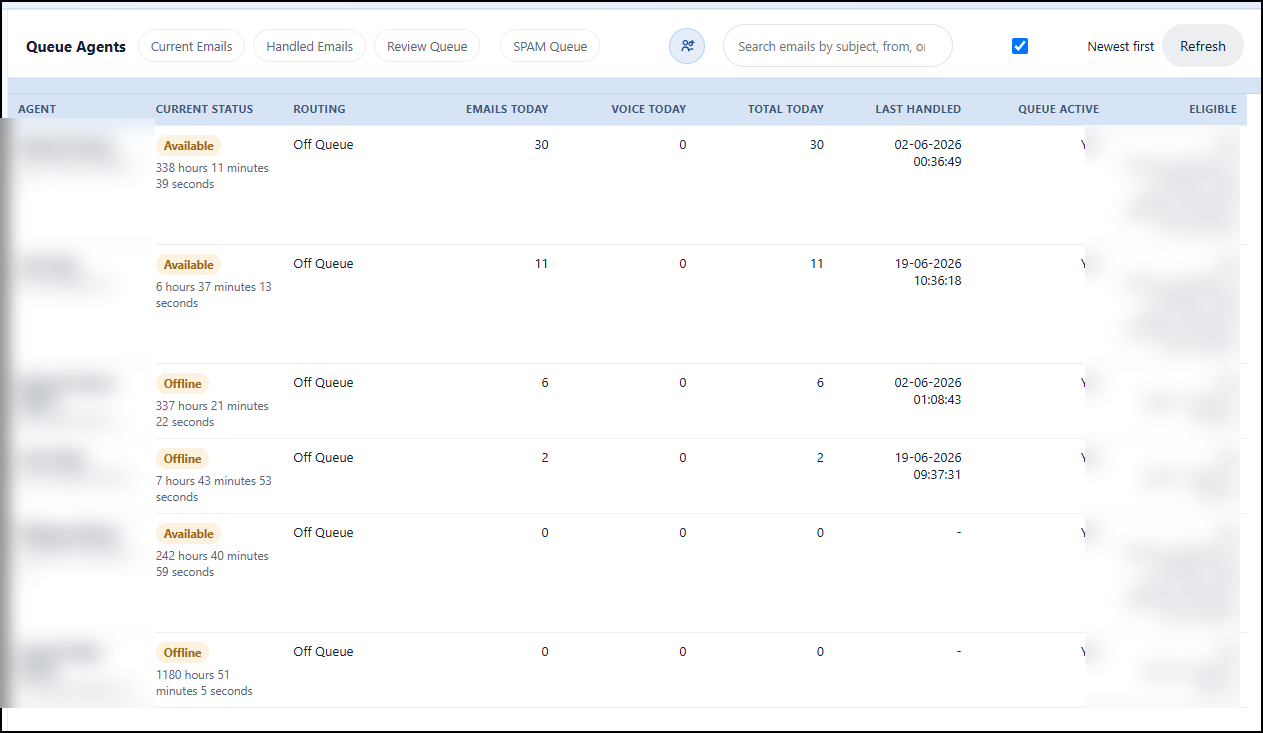
Watch waiting work, rebalance conversations, review spam and exception queues, and keep service levels moving.
Support tenant setup, role boundaries, queue access, and operational configuration for Genesys Cloud email teams.
Resources
How supervisors can identify waiting work, aging emails, and blocked queues faster.
Workflow Spam and review queue managementHow operational spam tables help teams separate noise from customer work.
Dashboard Queue and agent statsWhat queue health and agent eligibility metrics reveal during live email operations.
Licensing Named vs concurrent licensingHow to choose a licensing model for dedicated teams, rotating shifts, and shared access.
Next step
Send the GenEmails team your contact information and the email operations problem you want to solve. The message opens in your email client so you control exactly what is sent.